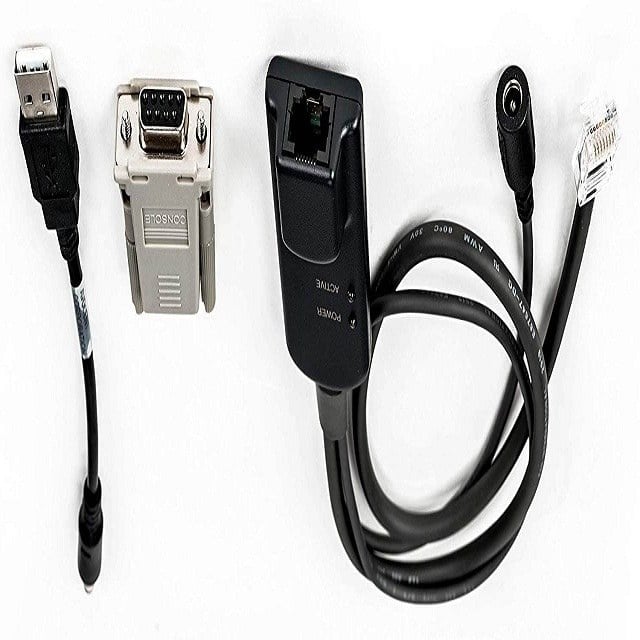
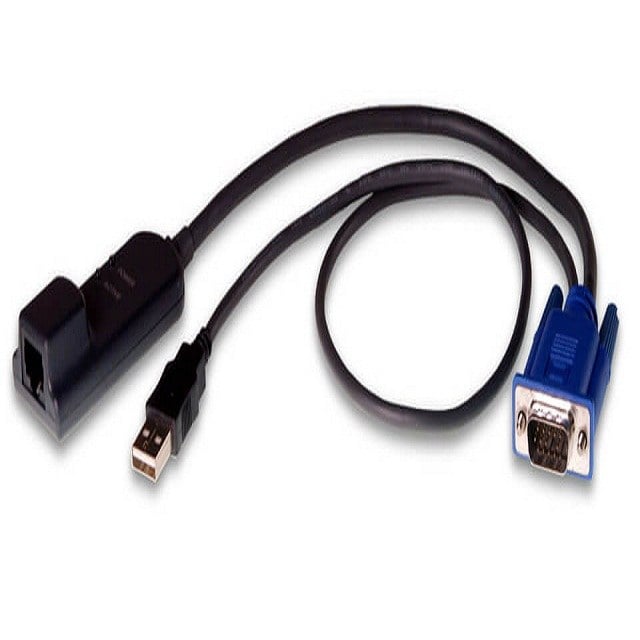
MPUIQ-SRL Avocent Mergepoint Unity Serial Iq Serial Port Extender External Cable | New Bulk Pack
$58.49
$85.98
Description Features and Benefits of External Cable The MPUIQ-SRL Avocent Mergepoint Unity Serial Iq Serial Port Extender External Cable is a device that allows for the extension of serial ports over long distances. Some of the features and benefits of this device include: Distance extension: The cable allows for the extension of serial ports up to 150 feet, making it ideal for remote access and control of devices that are located in different parts of a building or campus. High-speed data transfer: The cable supports data transfer speeds of up to 115.2 kbps, ensuring that data is transmitted quickly and efficiently. Easy installation: The cable is plug-and-play, meaning that it requires no additional software or drivers to be installed. This makes it easy to set up and use. Durable construction: The cable is made of high-quality materials and is built to withstand the rigors of everyday use. This ensures that it will last for a long time and continue to work reliably. Compatible with a wide range of devices: The cable is compatible with a wide range of devices, including servers, switches, routers, and other serial-enabled devices. This makes it a versatile solution for a variety of applications. Cost-effective: The cable is an affordable solution for extending serial ports over long distances, making it a cost-effective option for businesses and organizations. Installation and Configuration First, gather all necessary equipment, including the MPUIQ-SRL Avocent Mergepoint Unity Serial Iq Serial Port Extender and the external cable. Connect the external cable to the MPUIQ-SRL unit’s serial port and the other end of the cable to the device you wish to extend the serial port to. Power on the MPUIQ-SRL unit and the device it is connected to. Open the Avocent Mergepoint Unity software on your computer and log in to the management interface. Navigate to the “Devices” tab and locate the MPUIQ-SRL unit in the list. Click on the unit and select “Properties” to access the configuration settings. In the Properties window, select the “Serial” tab and configure the serial port settings as desired. Click “Apply” to save the changes and close the Properties window. Test the connection by attempting to access the device through the extended serial port. Once confirmed that the connection is working properly, the installation and configuration of the MPUIQ-SRL Avocent Mergepoint Unity Serial Iq Serial Port Extender is complete. Troubleshooting and Maintenance Troubleshooting: Check if the power supply is properly connected and functioning. Verify that the serial cables are properly connected to the extender and the device being controlled. Check if the device being controlled is turned on and configured correctly. Check if the IP address of the extender is properly configured and can be accessed through the network. Try resetting the extender to its default settings. Maintenance: Keep the extender and its cables clean and free of dust and debris. Check the connections and cables for any damage or wear and replace as necessary. Keep the firmware of the extender up to date to ensure proper functionality. Perform regular backups of the extender’s configuration settings. Test the extender’s functionality on a regular basis to ensure it is working properl Product Information MPUIQ-SRL Manufacturer: Avocent MPN: MPUIQ-SRL Type: Cable Sub-Type: Interface Adapter SKU: MPUIQ-SRL